Test Orchestration
The better alternative to Playwright Sharding
Scaling a test suite comes with many challenges. As the test suite grows, CI becomes slower.
Playwright parallelism helps reducing the bottleneck, but they aren't as efficient as they could be. Sharding splits test files based on the lexical order of file paths, leading to unbalanced workloads.
Currents Test Orchestrator fixes that by balancing the load using historical execution data, continuously creating the most optimal execution order for test runs, resulting in up to 40% reduction the CI execution time with minimal changes to configuration.

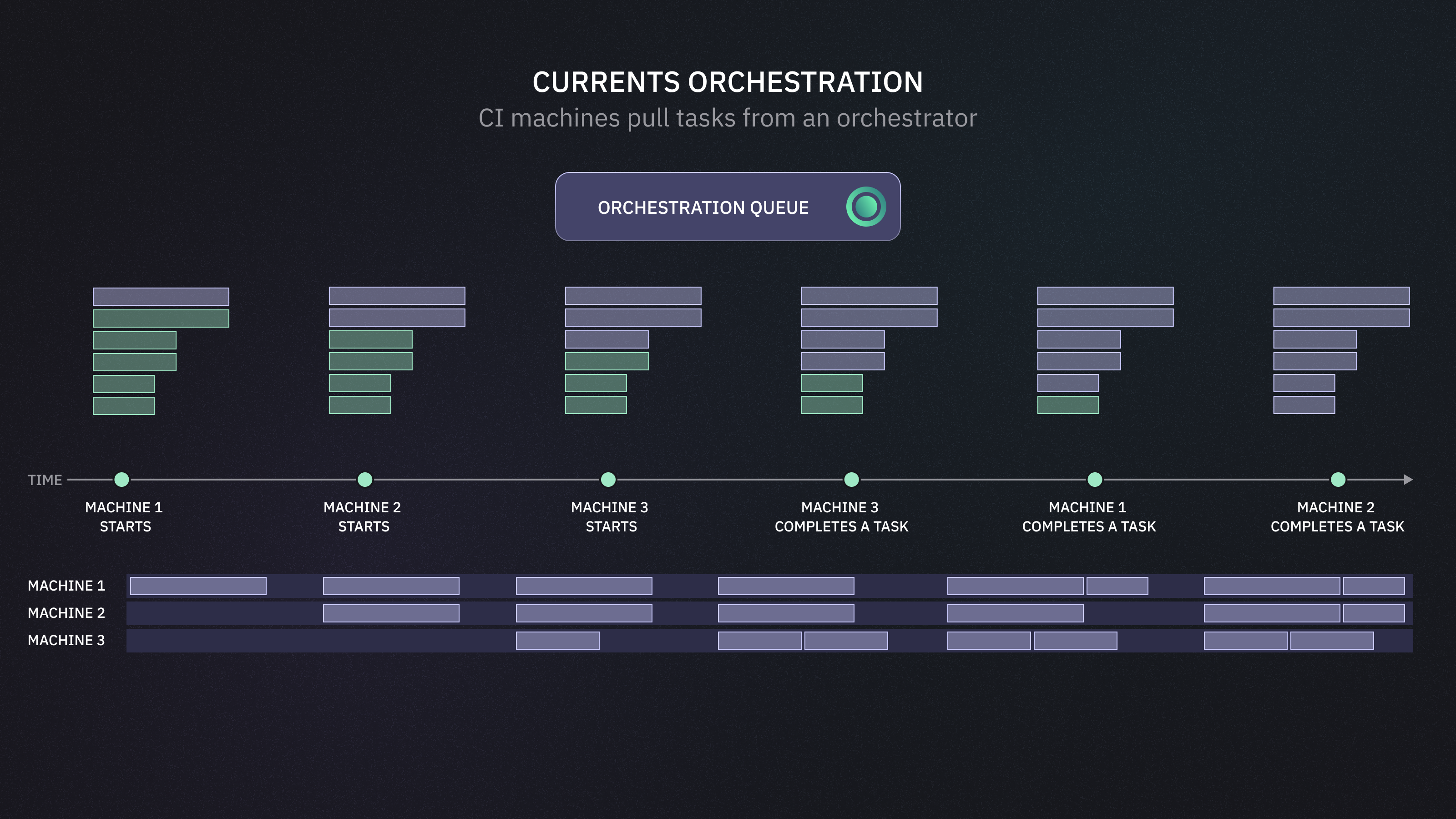
Instead of pre-allocating tests to CI nodes, the orchestrator keeps a live queue of pending tests and dynamically assigns them to machines as they become available. This allows continuous communication and coordination across all nodes, improving overall throughput.
Learning from history — tracks test durations and uses that data to improve distribution in future runs.
No renaming hacks — you don’t need to rename spec files or manually tune splits for better balance.
Dynamic test distribution — tests are split based on real-time machine availability, not pre-assigned upfront.
Handles CI quirks — automatically adapts to runner spin-up delays or unresponsive machines.
Scales with your suite — maintains high throughput as test count, duration, or structure evolves.
Your CI, your environment — the tests are running on your existing environment, the orchestrator client communicates with Currents for task assignments and reporting the results.
It's just Playwright — an orchestrator uses Playwright internally, using the same configuration and interfaces to run the tests.
Get Started
Last updated
Was this helpful?