# JUnit

Currents has flagship integrations with various testing frameworks via the dedicated reporters (like Playwright, [jest](https://docs.currents.dev/getting-started/other-frameworks/jest "mention"), [currents-node-test-reporter](https://docs.currents.dev/resources/reporters/currents-node-test-reporter "mention") and [cypress](https://docs.currents.dev/getting-started/other-frameworks/cypress "mention")).

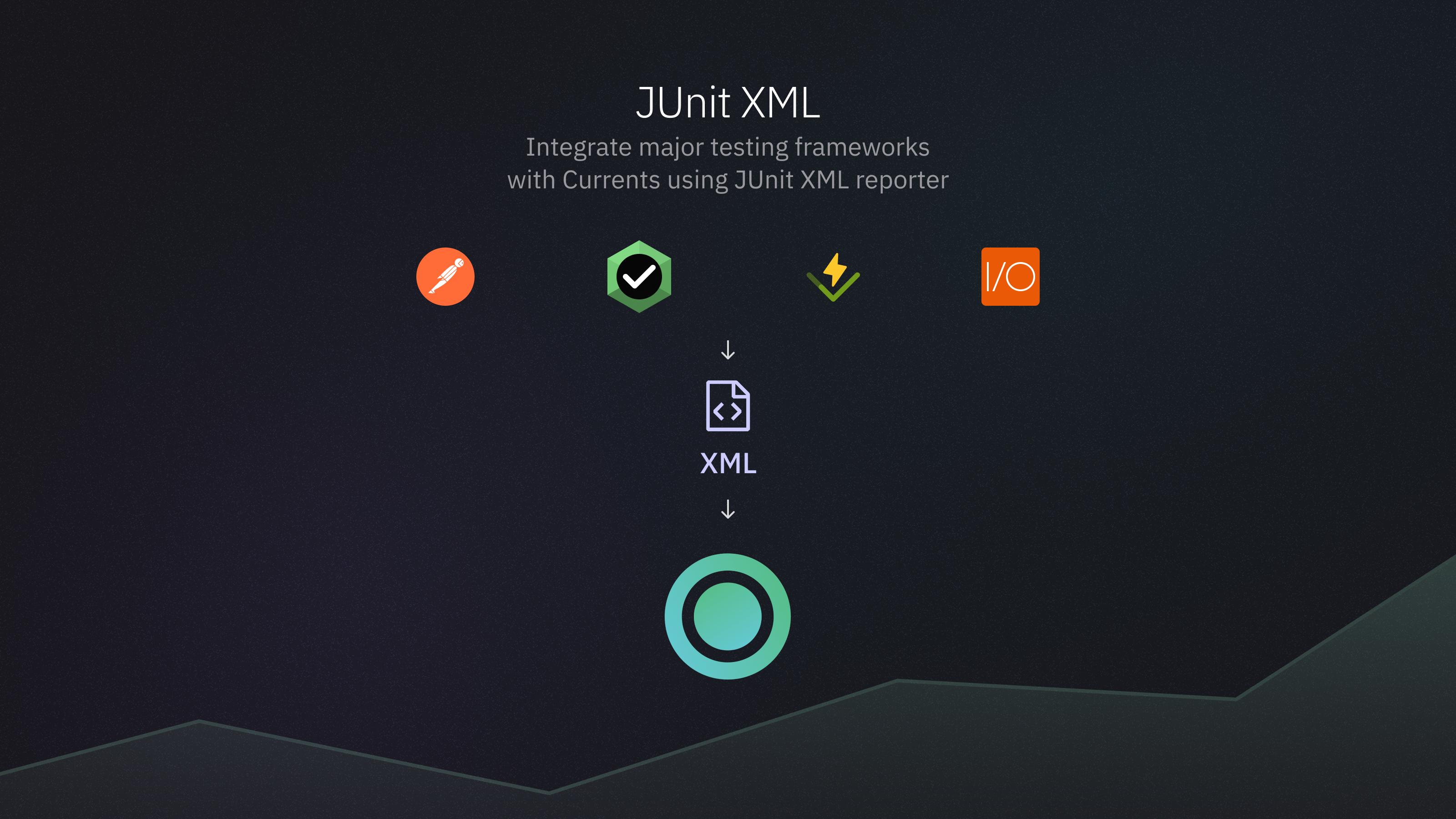
Integration with other frameworks is possible by uploading a JUnit XML (or compatible) test results report to Currents using our CLI utilities from [currents-cmd](https://docs.currents.dev/resources/reporters/currents-cmd "mention") package.

<figure><img src="https://3745692499-files.gitbook.io/~/files/v0/b/gitbook-x-prod.appspot.com/o/spaces%2FqmFDEiUa9mr11LUlxDnt%2Fuploads%2F4OSkXqAXDtov9kbU1k6n%2FJunit%20XML%20reporter.png?alt=media&#x26;token=57efd7ca-fbd5-4e86-9338-5c68ed8f3f84" alt=""><figcaption><p>Send results from any framework that supports JUnit XML format</p></figcaption></figure>

> JUnit is an XML document used to represent the outcomes of automated tests. It is widely adopted for test reporting in CI/CD pipelines, allowing CI tools like Jenkins, GitHub Actions, ands other to parse and display test results.
>
> JUnit reports typically contains information about:
>
> * Test suites - groups of test cases (e.g., a set of related tests)
> * Test cases - individual test scenarios with details like execution time, status (pass/fail), and optional logs (e.g., errors or skipped messages)
>
> See a detailed [example of a complete JUnit XML file](https://github.com/testmoapp/junitxml?tab=readme-ov-file#complete-junit-xml-example).

### Overview

A typical workflow for reporting JUnit XML results to Currents:

{% stepper %}
{% step %}

#### Configure testing framework

Configure your testing tool to generate the results in JUnit XML format
{% endstep %}

{% step %}

#### Run the tests

Run the tests and save the test results at a known location
{% endstep %}

{% step %}

#### Conver JUnit XML file

Run [currents-convert](https://docs.currents.dev/resources/reporters/currents-cmd/currents-convert "mention") command to convert JUnit XML report to a format compatible with Currents
{% endstep %}

{% step %}

#### Upload the results to Currents

Run [currents-upload](https://docs.currents.dev/resources/reporters/currents-cmd/currents-upload "mention")command to send the results to Currents for processing
{% endstep %}
{% endstepper %}

### Setup

* Install [currents-cmd](https://docs.currents.dev/resources/reporters/currents-cmd "mention") package

```bash
npm i @currents/cmd
```

### Run the tests

Refer to your framework documentation or contact Currents support for help with enabling JUnit reporter for your framework

<table><thead><tr><th width="232">Framework</th><th>Instructions</th></tr></thead><tbody><tr><td>Vitest</td><td><a href="https://vitest.dev/guide/reporters#junit-reporter">https://vitest.dev/guide/reporters#junit-reporter</a></td></tr><tr><td>NodeJS Test Runner</td><td><a href="https://nodejs.org/api/test.html#test-reporters">https://nodejs.org/api/test.html#test-reporters</a></td></tr><tr><td>WebdriverIO</td><td><a href="https://webdriver.io/docs/junit-reporter/">https://webdriver.io/docs/junit-reporter/</a></td></tr><tr><td>Cypress</td><td><a href="https://github.com/michaelleeallen/mocha-junit-reporter">https://github.com/michaelleeallen/mocha-junit-reporter</a></td></tr><tr><td>Postman (Newman)</td><td><a href="https://github.com/postmanlabs/newman?tab=readme-ov-file#junitxml-reporter">https://github.com/postmanlabs/newman?tab=readme-ov-file#junitxml-reporter</a></td></tr></tbody></table>

When running the tests, make sure to save the results at a known location - you will need to provide path to the generated files later.

### Convert the JUnit XML report

Use [currents-convert](https://docs.currents.dev/resources/reporters/currents-cmd/currents-convert "mention") command to convert JUnit format to internal Currents format. Refer to [currents-convert](https://docs.currents.dev/resources/reporters/currents-cmd/currents-convert "mention") documentation for the list of supported formats and frameworks.

For example:

```
npx currents convert \
  --input-format=junit \
  --input-file=junit-file.xml \
  --output-dir=.currents \
  --framework=postman \
  --framework-version=v11.2.0
```

### Upload the results

Use [currents-upload](https://docs.currents.dev/resources/reporters/currents-cmd/currents-upload "mention") command to send the results to Currents. Get a [Record key](https://docs.currents.dev/guides/record-key) and [Project ID](https://docs.currents.dev/dashboard/projects) from Currents dashboard.

```bash
npx currents upload --project-id=xxx --key=yyy
```

### Example

Check out the [example repository](https://github.com/currents-dev/currents-junit-xml-example) that demonstrates how to generate and report test results from various testing frameworks to Currents.

* [Postman](https://github.com/currents-dev/currents-junit-xml-example/tree/main/packages/postman)
* [Vitest](https://github.com/currents-dev/currents-junit-xml-example/tree/main/packages/vitest)
* [NodeJS Test Runner](https://github.com/currents-dev/currents-junit-xml-example/tree/main/packages/nodejs-test-runner)
* [WebdriverIO](https://github.com/currents-dev/currents-junit-xml-example/tree/main/packages/wdio)
