Pull Requests
Browse a project's runs grouped by the pull request that triggered them
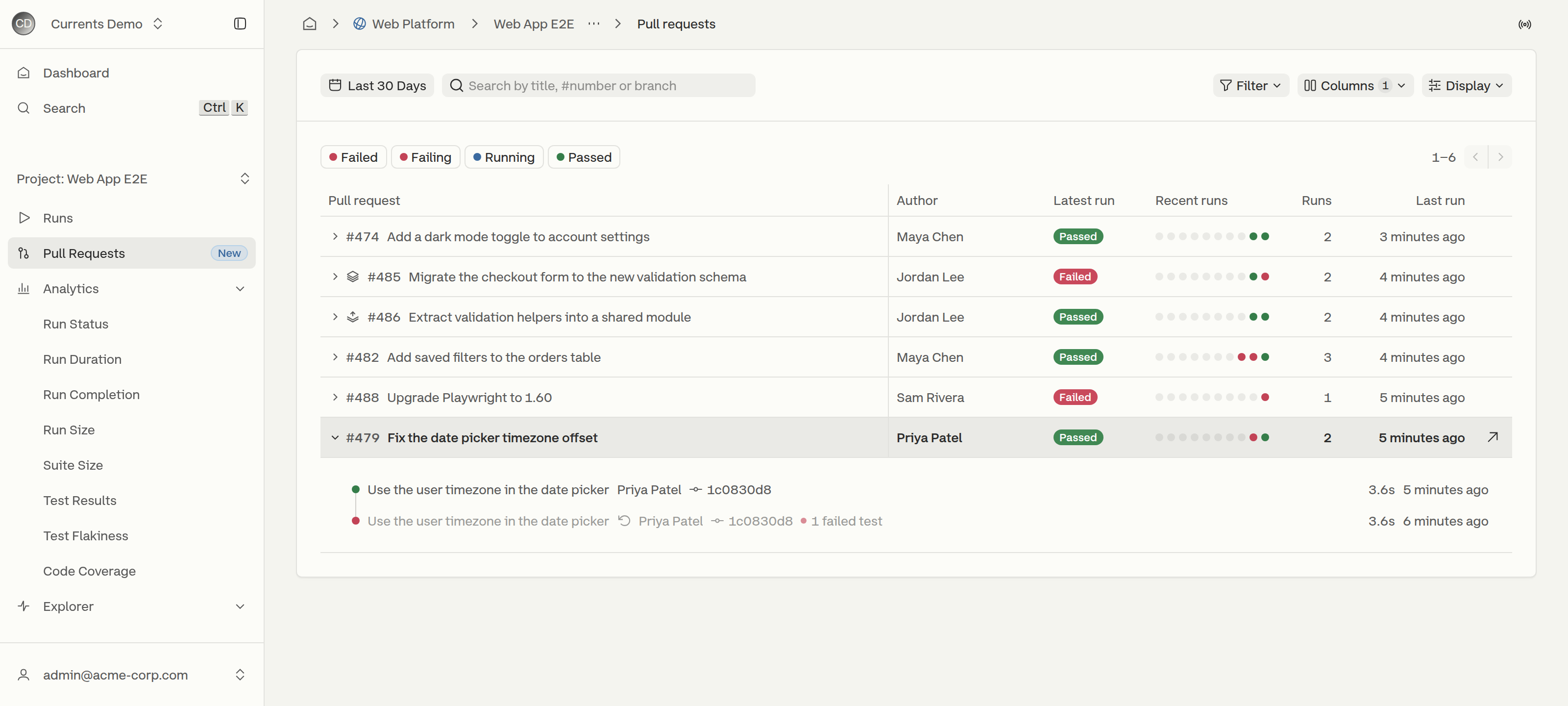
The Pull Requests page lists the pull requests that CI reported runs for within the selected date range (the last 30 days by default), one row per pull request, with the status of its latest run and a strip of its recent runs. It answers "which open pull requests are failing, and since when?" without scanning the flat run feed.
To open it, select a project and click Pull Requests in the sidebar.

Columns
Pull request
Number and title. When the page mixes repositories, rows outside the most common one show their repository name before the number.
Author
Commit author of the latest run
Latest run
Status of the most recent run
Recent runs
One dot per recent run, oldest to newest, colored by status
Runs
Total number of runs for the pull request
Last run
When the most recent run was created
The Columns menu turns the optional columns on and off: Author, Branch, Tags, Environment and First run. Author is on by default. Environment turns on by itself when a row on the page reports an environment. First run is shown only when the list is sorted by first run.
Expanding a Pull Request
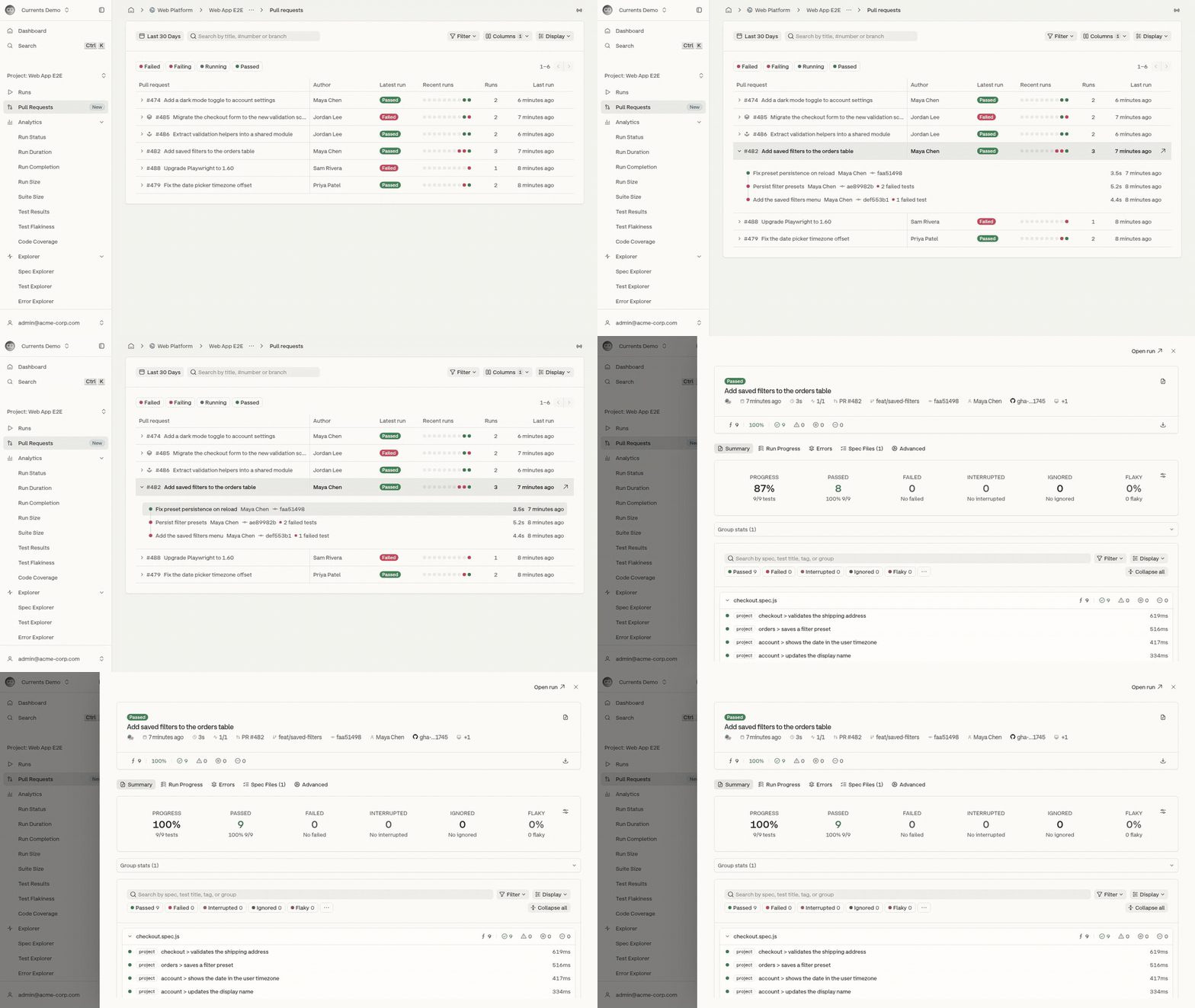
Clicking anywhere on a row, or pressing Enter on a focused row, expands it into a timeline of the pull request's recent runs, newest first. Each run shows its commit message, the commit author and short SHA, the number of failed tests, its duration and when it was created.

When the same commit runs more than once, for example after a retry in CI, the earlier runs are muted and marked This commit ran again after this run, so the result that stands is the latest one.
When a pull request has more runs than the timeline shows, a View all N runs link opens the Runs page filtered to that pull request, keeping the current search and date range.
Previewing a Run
Clicking a run in the expanded row, or a dot in the Recent runs column, opens the run in a drawer over the list. The drawer has the full run page, including its tabs, filters and test details, and the list keeps its scroll position, filters and expanded rows underneath.

Open run in the drawer header opens the full run page.
Opening a test inside the drawer shows it over the run, with Back to run to return.
Esc closes an open test first, then the drawer.
Ctrl/Cmd-click on a run opens the run page in a new tab instead of the drawer.

Searching and Filtering
Date range - pull requests with runs in the selected range. The default is the last 30 days. When the range is empty, Use last 90 days widens it.
Search - matches a pull request's title, number (
#482or482) or branch.Status chips - Failed, Failing, Running and Passed filter by the status of each pull request's latest run. More than one chip can be selected.
Filter - narrows the list by Branch, Author, Tag or Environment. Each active filter appears as a removable pill under the toolbar.

Status and search are checked against each pull request's latest run. When nothing matches, Clear filters resets the search, chips and filters.
Row Actions
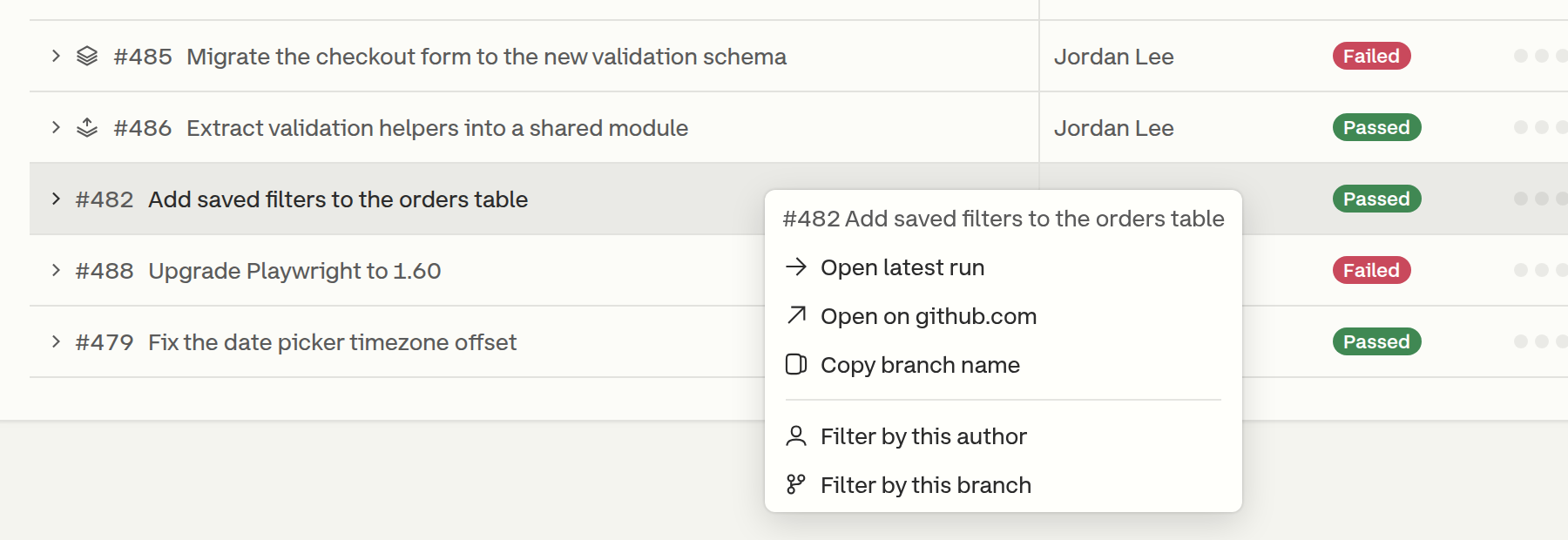
Right-clicking a row opens its actions:
Open latest run
Open on the Git host, for example
github.comCopy branch name
Filter by this author
Filter by this branch

Display Options
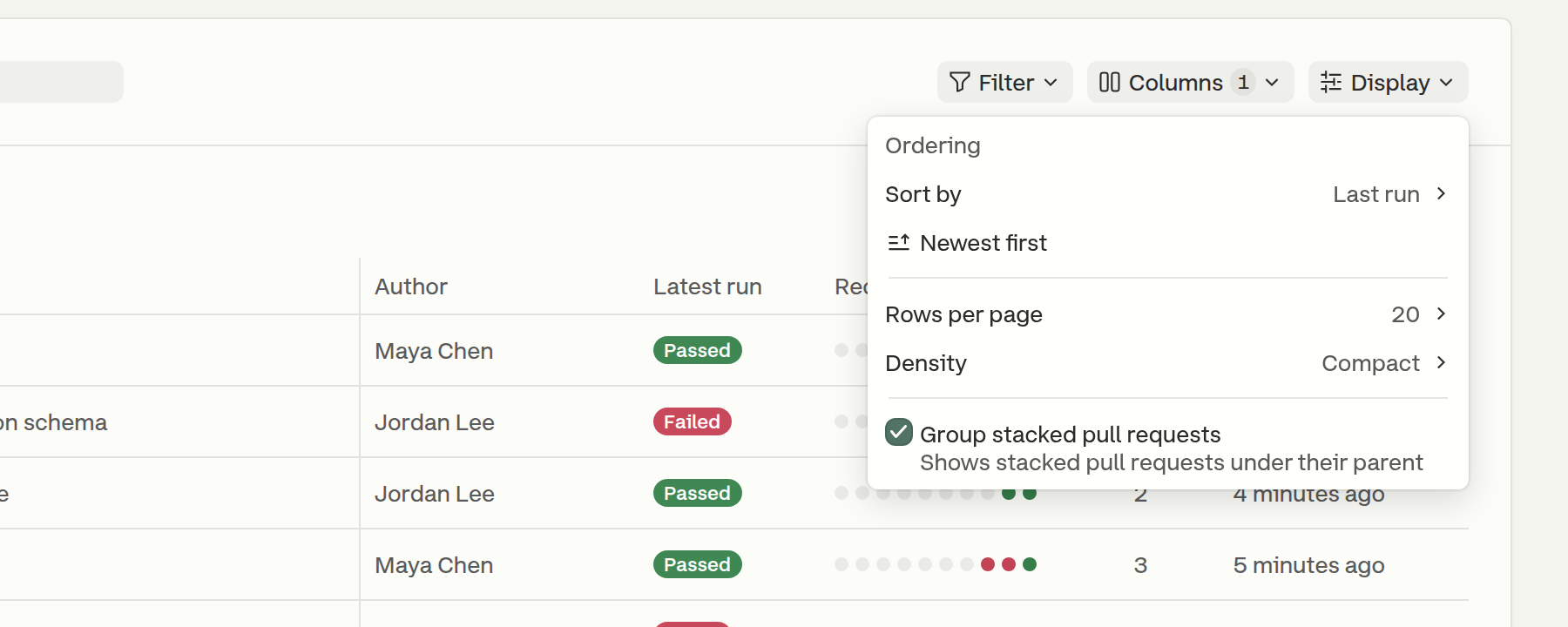
The Display menu controls how the list is ordered and laid out.

Sort by
Last run (default), First run or Number of runs
Direction
Newest first / Oldest first, or Most runs first / Fewest runs first when sorting by runs
Rows per page
20 (default) or 50
Density
Compact (default) or Comfortable, which adds the source and destination branches under the title
Group stacked pull requests
On by default. See Stacked Pull Requests.
Density, rows per page, column choices and stacked grouping are saved per project in the browser. A shared link that sets the page size keeps it for everyone who opens it.
Stacked Pull Requests
A pull request is stacked when its destination branch is the source branch of another pull request in the same repository, for example feat/validation-helpers into feat/checkout-validation.
With Group stacked pull requests on, a stacked pull request is placed directly under the pull request it is stacked on, and a stack icon marks each member of the group. In the screenshot at the top of this page, #486 is stacked on #485. A stacked pull request whose parent is not directly above it, such as a parent on another page, shows a Stacked on #N badge instead.
New Runs
The list refreshes every minute, and more often while a latest run is still in progress. When new runs change the first page while a later page is open, a New runs · Back to newest button returns to the top of the list.
Missing Commit Information
When most pull requests on the page have runs without a commit message or author, a warning explains that CI sends only the commit SHA. Runs affected are marked with a warning icon. The warning offers Fix with AI, which hands an AI assistant a prompt for fixing the CI configuration, and a Setup guide link to Commit Information. Dismissing the warning hides it for that project.
Last updated
Was this helpful?