> For the complete documentation index, see [llms.txt](https://docs.currents.dev/llms.txt). Markdown versions of documentation pages are available by appending `.md` to page URLs; this page is available as [Markdown](https://docs.currents.dev/ai/agentic-testing/share-a-run.md).
# Share a CI run
Share a recording of a CI run with a colleague or an agent: one link to every test, with its screenshots, videos, traces and other files
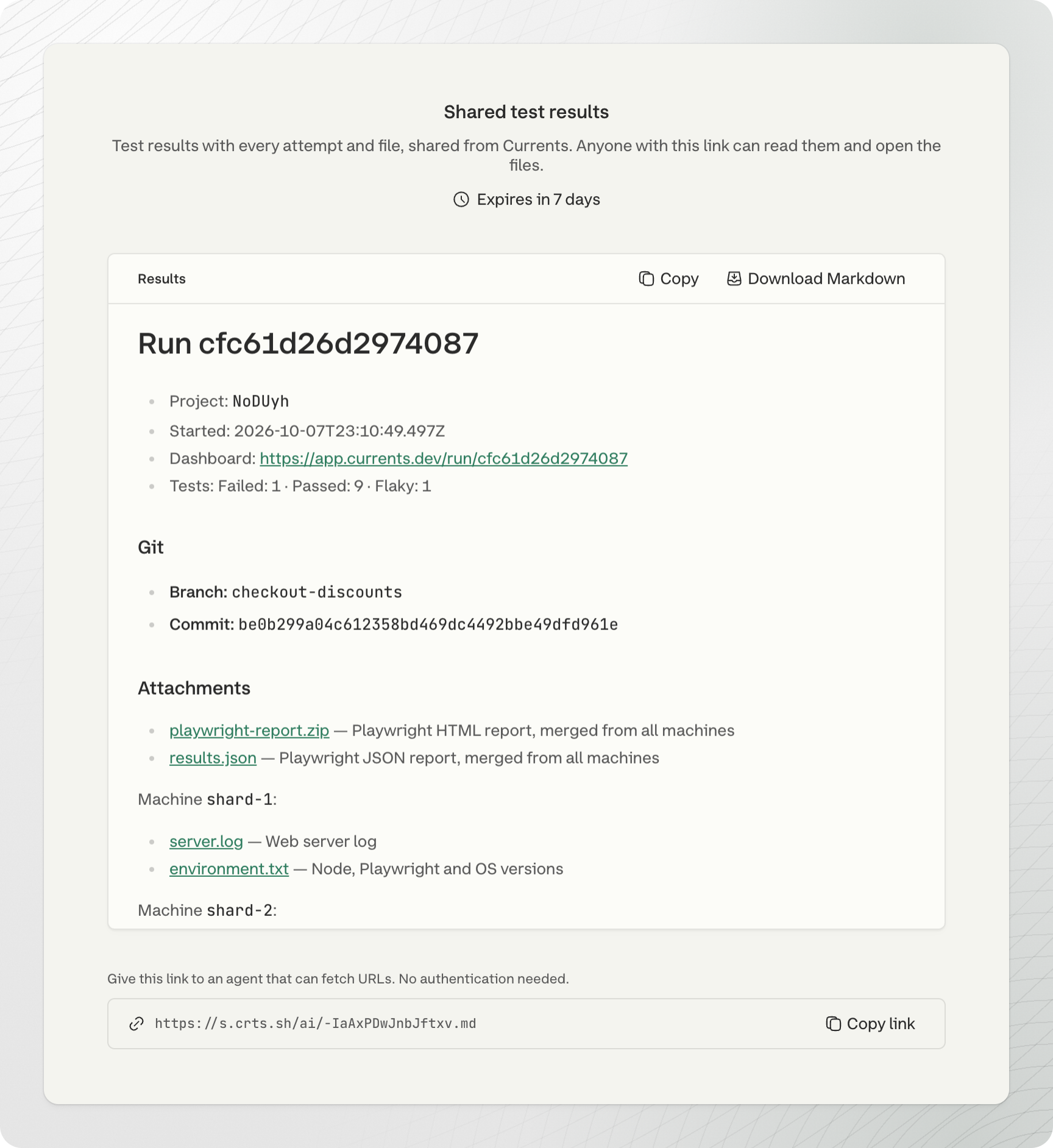
A [Shared Run](/ai/reference/share-links.md) is a public link to the recording of a CI run: every test, its attempts, errors, screenshots, videos, traces and other files. Send it to a colleague or give it to an agent instead of a summary or a screenshot. They do not need a Currents account, and they open the files themselves to investigate further.
## From the dashboard
1. Open the run.
2. Click **Share**, then **Share whole run**.
3. Pick how long the link lasts: 1, 3 or 7 days.
4. Click **Create link**, then copy it or click **Open page**.
## From an agent
Your agent needs the Currents MCP server, with permission to read results and to create share links. See [Connect your agent](/ai/connect.md). Then ask the agent to share a run, and name the run by its pull request or its run ID:
* "Create a Currents share link for the latest CI run of pull request #42."
* "Create a Currents share link for run 652399ec733d0ddc."
The run ID is in the run's URL in the dashboard, after `/run/`. The agent gets two links: the page for people, and its Markdown version for agents.
## What people see
* The project, start time, status counts, and the git branch, commit and pull request
* Each spec file and test with its status, and a link to the test in the dashboard
* For each attempt: its error, and links to its screenshots, videos, traces and other files
* For each failed or flaky test, a link to its full failure context
The page shows the run as it was when you created the link. It lists up to 2,000 tests, and leaves out passed tests first.
## What an agent sees
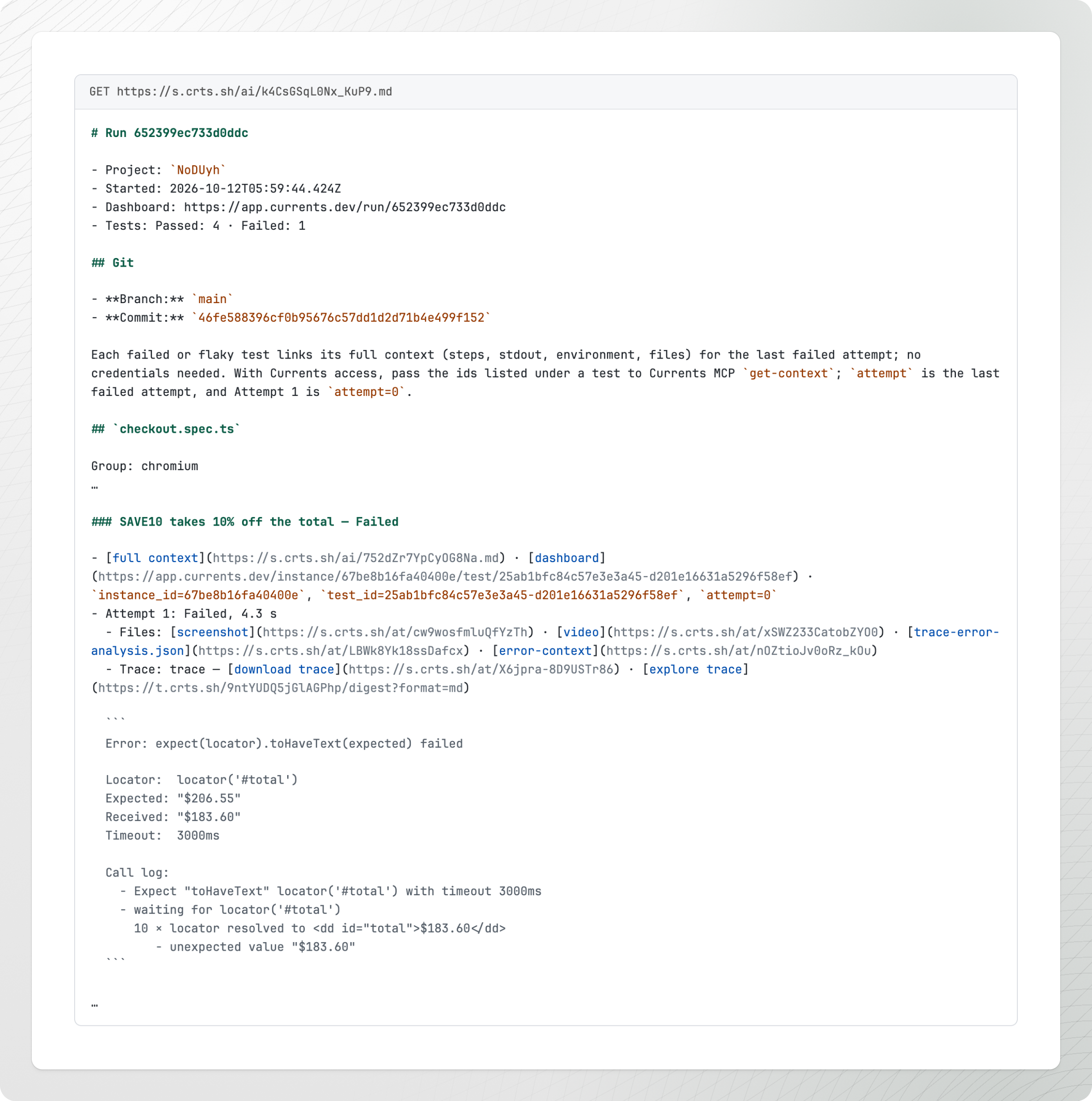
Add `.md` to the link to get the same run as Markdown. Give this link to an agent. It needs no Currents connection to read it.
The Markdown has a link to every file of every attempt, and the agent can open each one:
* Screenshots and videos
* Attachments your tests add, such as an error context or an API response
* The trace of each attempt, through a trace API link (labeled "explore trace")
* The full failure context of each failed or flaky test: steps, stdout, environment and files
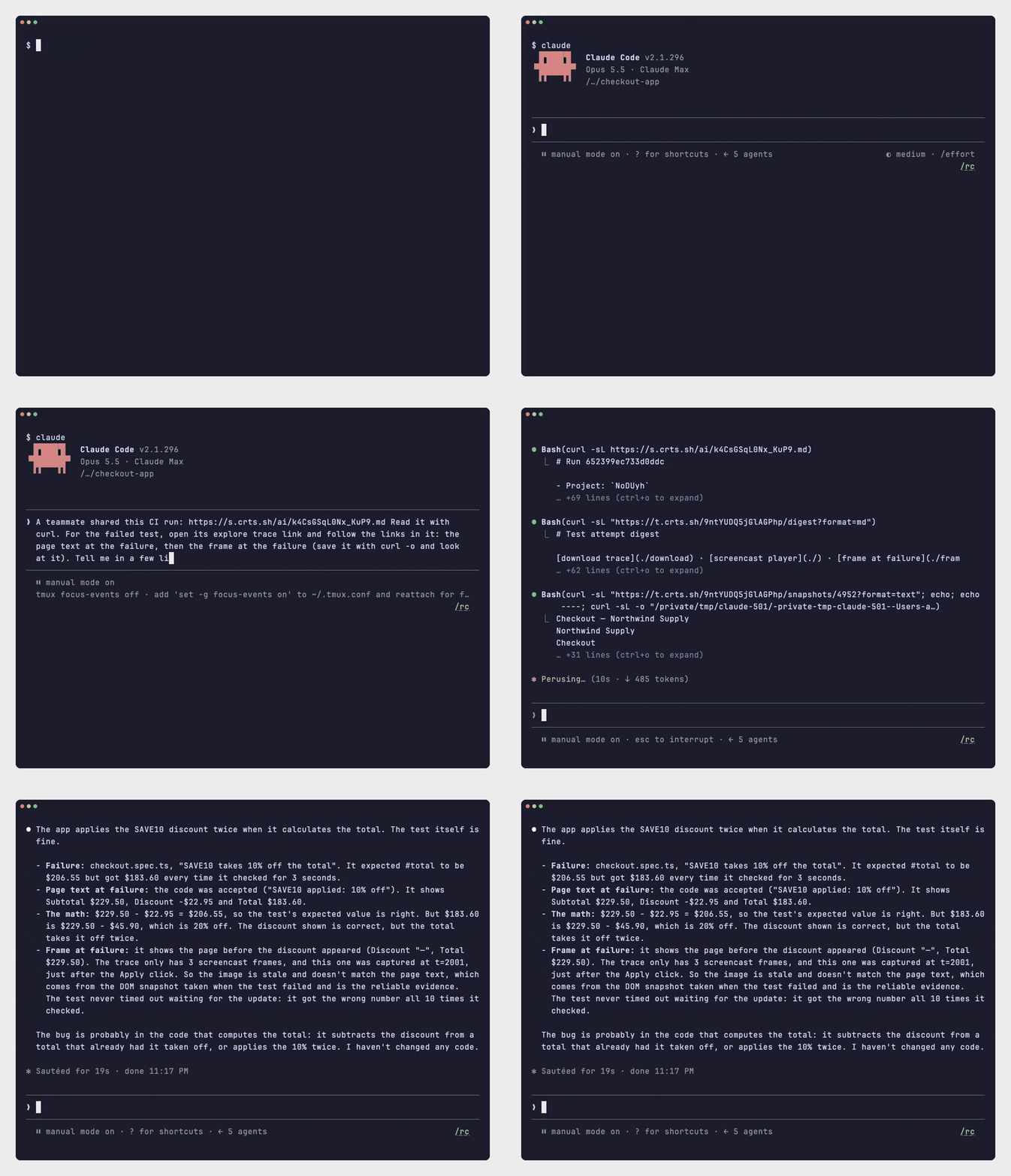
The trace API lets the agent read the trace in small steps: first a summary of the actions, then only the page, frame or network request it needs. See [Explore a trace](/ai/agentic-artifacts/explore-a-trace.md).
In this recording, Claude Code gets the Markdown link of a Shared Run. It reads the run, opens the trace summary of the failed test, then reads the page text and the screen at the failure:
See [Share links](/ai/reference/share-links.md) for who can open the link and how to turn share links off.
---
# Agent Instructions
This documentation is published with GitBook. GitBook is the documentation platform designed so that both humans and AI agents can read, navigate, and reason over technical content effectively. Learn more at gitbook.com.
## Querying This Documentation
If you need additional information that is not directly available in this page, you can query the documentation by asking a question.
Perform an HTTP GET request on the following URL with the `ask` and `goal` query parameters:
```
GET https://docs.currents.dev/ai/agentic-testing/share-a-run.md?ask=&goal=
```
`ask` is the immediate question: it should be specific, self-contained, and written in natural language.
`goal` is what the user is ultimately trying to achieve, the reason they need the answer. Sharing it helps GitBook give you a better, more relevant answer. A goal is most helpful when it describes the outcome the user wants rather than restating the question. For example, with `ask=how do I create an API token`, a goal like `automate deployments from our CI pipeline` lets GitBook tailor the answer to that use case.
The response will contain a direct answer to the question and relevant excerpts and sources from the documentation.
Use this mechanism when the answer is not explicitly present in the current page, you need clarification or additional context, or you want to retrieve related documentation sections.